
The most expensive phase of a machine-building project often comes right at the end. The machine is at the customer’s site, the delivery date is drawing closer, and only now does the control program run against the real mechanics for the first time. Every error that surfaces at this point costs travel days, ties up staff and, in the worst case, triggers a contractual penalty. This is exactly where the digital twin comes in for machine builders.
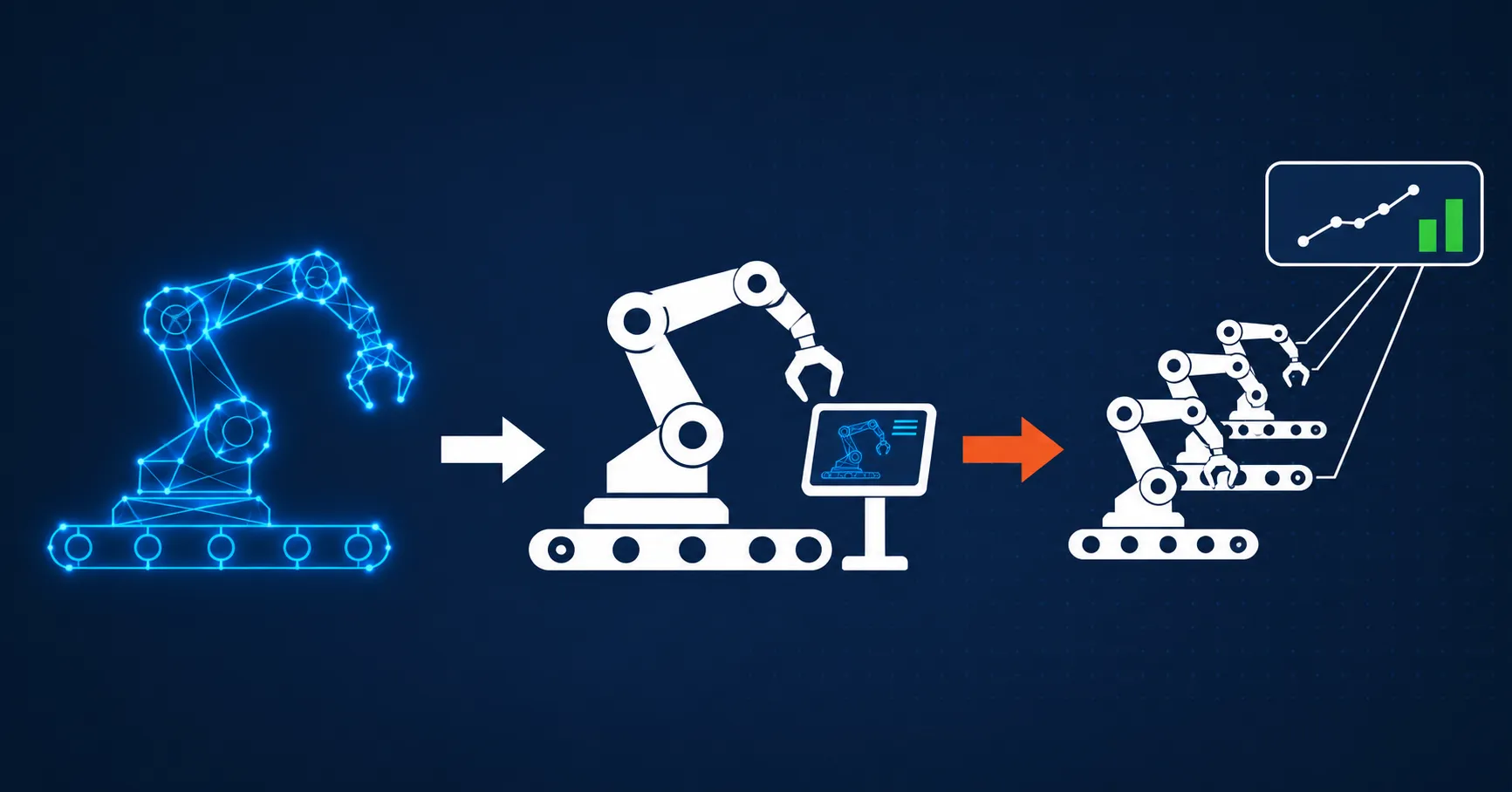
In machine building, we understand a digital twin as a physics-based, virtual representation of a machine that accompanies it from the quote through commissioning to operation. With the simulation software twin from digifai, machine builders test their PLC and robot programs on the model before the machine is built, saving up to 40% of commissioning time. In operation, the same model becomes the 3D HMI on the operator panel, and the IIoT platform control makes the process data of running plants analysable, even across many machines at different customers.
Our introductory article What is a digital twin? explains how the term is defined scientifically and where the line runs between a digital model and a digital shadow. This article shows what a digital twin delivers to a machine builder in time and money in every project phase.
Key takeaways
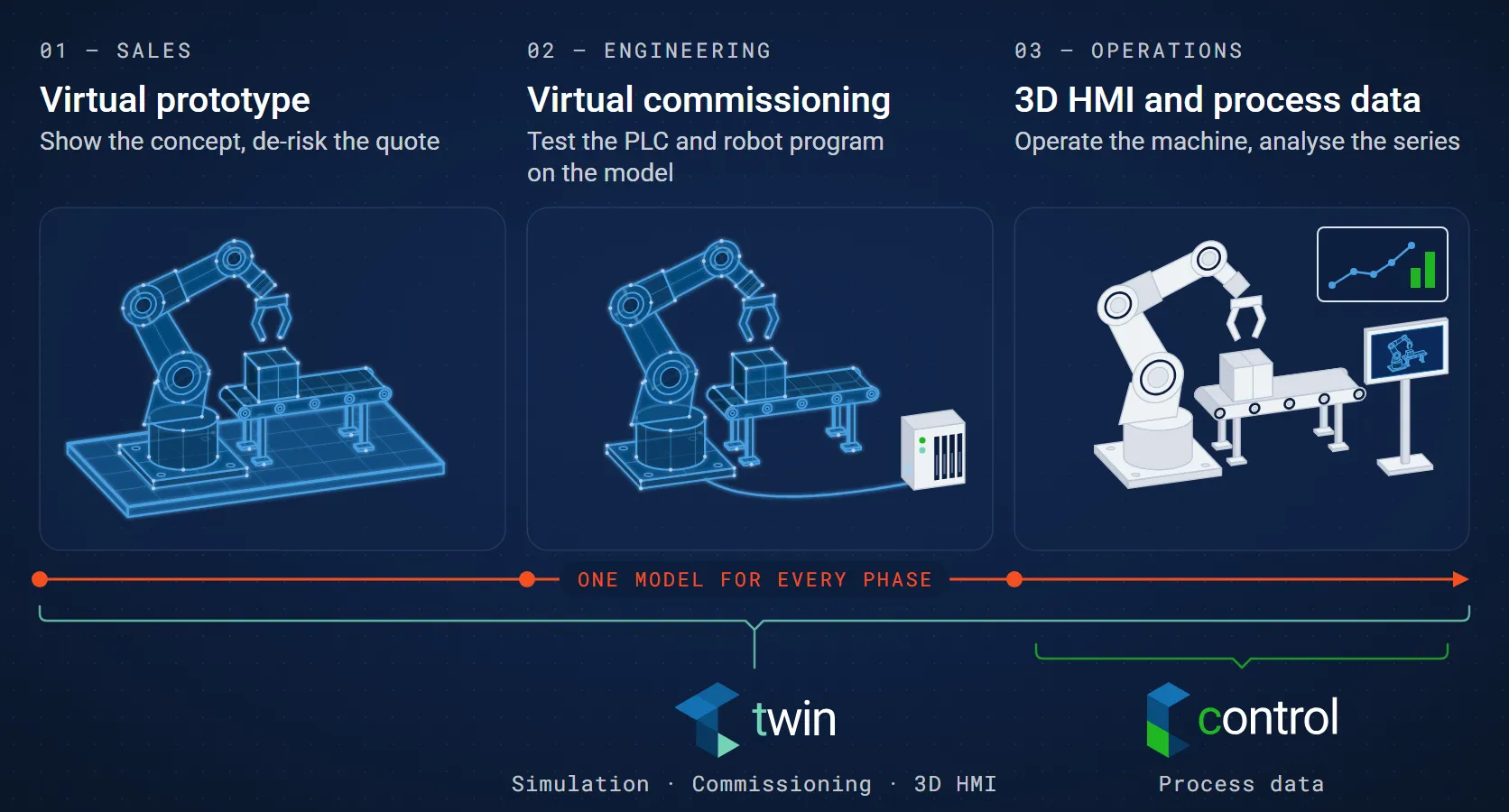
- Sales: A virtual prototype shows customers their machine before it is built. Feasibility, cycle time and layout are proven rather than claimed.
- Engineering: In virtual commissioning, the real control and robot program runs against the model. The result: up to 40% time savings in commissioning and up to 20% shorter project lead times.
- Operations: The same model becomes the 3D user interface of the real machine. control makes the process data analysable, from a single plant to the entire machine series at your customers’ sites.
- One model for everything: The digital twin is built once and reused across the entire lifecycle. That is precisely where its economic leverage lies.
What a digital twin for machine builders has to deliver
Almost every piece of software in machine building now carries the “digital twin” label, from 3D viewers to cloud platforms. For it to genuinely pay off in a project, it should be able to do five things:
- Work with the real controller. A model that merely animates tests nothing. Only when the real PLC and robot program runs against the model do programming errors surface at the desk instead of at the customer’s site.
- Calculate physics, not play it back. Collisions, forces, speeds and robot kinematics must behave as they do on the real machine. Otherwise, sequences fail only on the real machine, but not in the simulation.
- Remain one model throughout. If the machine is modelled from scratch for the quote, for commissioning and for the user interface, the effort eats up the benefit.
- Fit into existing tools. CAD data, controllers, robot systems and HMIs are already in place. A digital twin has to connect to them, not the other way round.
- Reach beyond the single machine. In operation, what counts is not only the state of one machine but the behaviour of the entire machine series. That requires the data of many units to come together, even when they are installed at different customers.
twin and control are built precisely around these requirements: twin for the model of the individual machine, developed from practice, by machine builders for machine builders; control for the data of all machines in operation. Ask every vendor, including us, how exactly they meet these five points. The answer shows whether there is a real function behind the label.
Digital twin in sales: winning orders before the machine is built
With PowerPoint slides and 2D drawings, customers can hardly picture how their future plant will work. Customer uncertainty drags out the quotation phase, and misunderstandings about layout or cycle time often resurface only at acceptance, as costly rework.
With twin, the concept becomes an interactive virtual prototype: import CAD data, easily add robots, conveyors and grippers from the component library, and define sequences without programming. This way, the model is ready in just a few hours. In the customer meeting, you show the plant live with real robot kinematics and prove reach, cycle times and footprint instead of merely claiming them. The page on the digital twin in sales shows what this looks like in practice; a separate article describes how one machine builder already uses the model for a feasibility study.
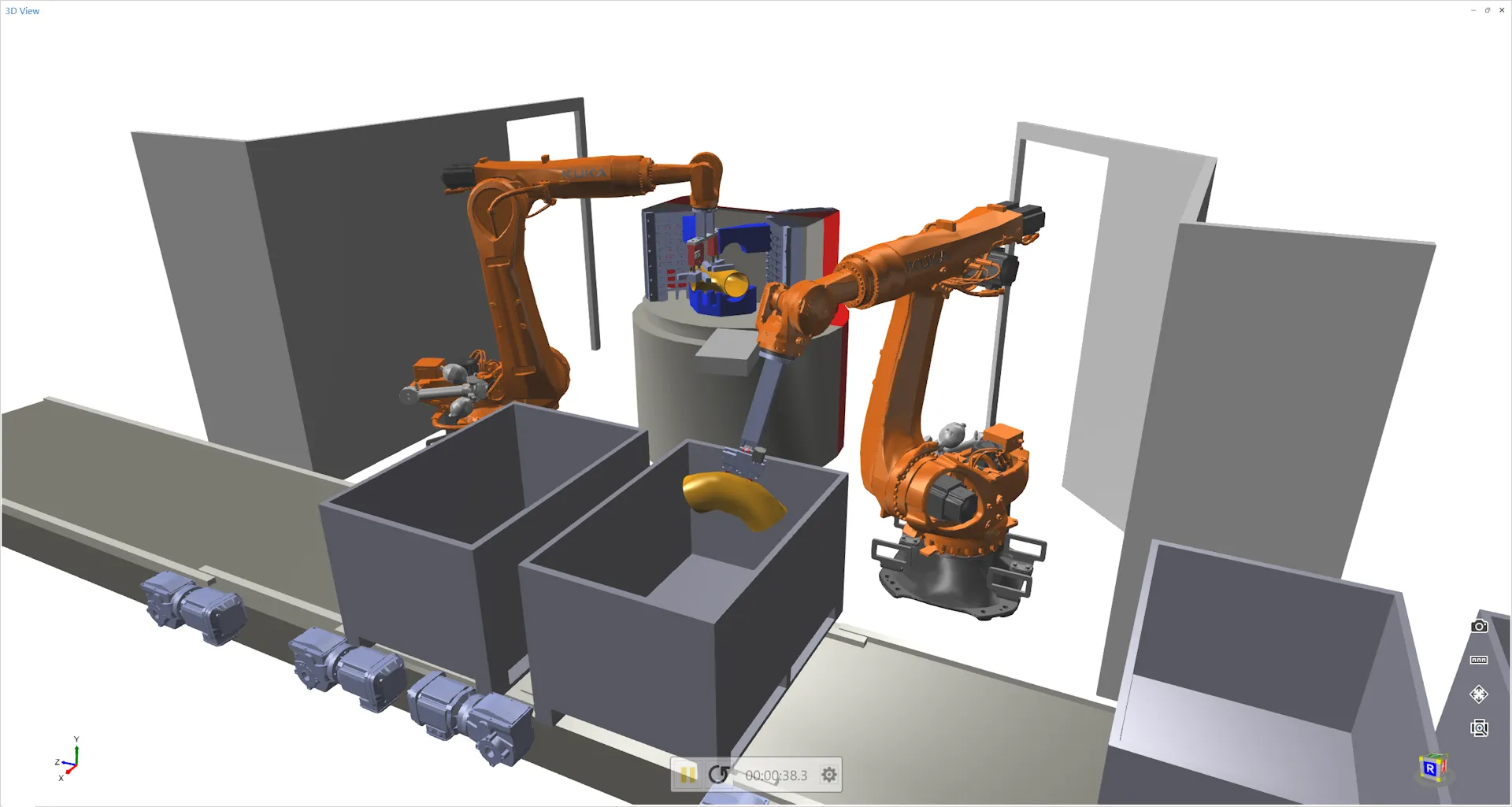
The key point: the model from sales is not a throwaway product. Once the order is placed, it is reused in engineering, and the effort from the quotation phase pays off a second time.
Virtual commissioning: finding errors on the digital twin instead of at the customer’s site
Another focus of twin is virtual commissioning. twin couples the real control program to the model, either as hardware-in-the-loop with the real PLC or as software-in-the-loop with a virtual controller. Supported systems include Siemens (for example via S7-PLCSIM Advanced), Beckhoff TwinCAT, Rockwell/Allen-Bradley, B&R, Bachmann and CODESYS. twin connects robots via the manufacturers’ offline programming systems: KUKA.OfficeLite and iiQWorks.Sim from KUKA, ABB RobotStudio, FANUC ROBOGUIDE, Yaskawa MotoSim and URSim from Universal Robots. The article digital twin with KUKA.OfficeLite shows what this looks like with KUKA.OfficeLite. twin calculates mechanics, collisions and robot kinematics on a physics basis, with realistic forces, speeds and accelerations.
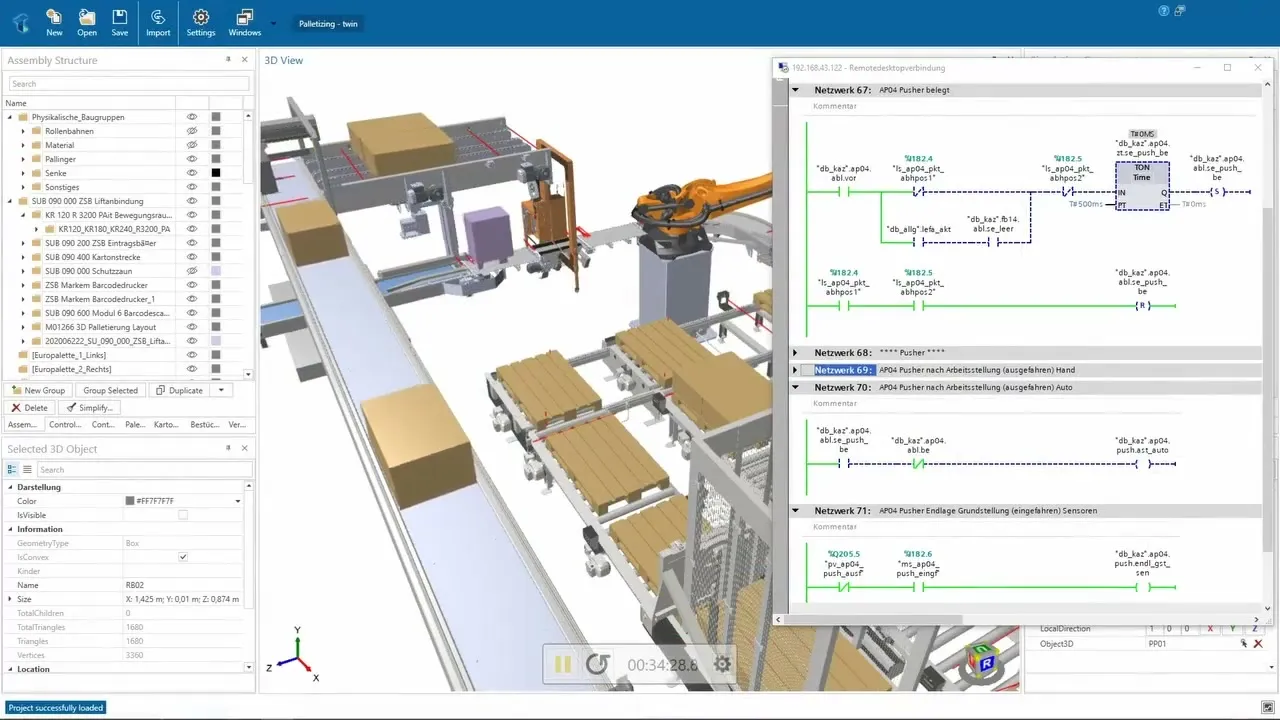
This moves troubleshooting from the customer’s site to the desk, and it happens in parallel with building the machine. The payoff is direct:
- Up to 40% time savings in commissioning, because the control and robot programs are developed and tested in advance.
- Up to 20% shorter project lead times, because commissioning shifts into engineering.
- Up to 15% lower costs thanks to early what-if scenarios that take hours rather than days in the simulation.
Welding robot specialist igm shows what this looks like in practice:
This approach to commissioning saved us around 40% of the time, which amounts to roughly 160 working hours — a huge item. You can bring work forward and validate the software while the system is still being built.

The full story is told in the success story on virtual commissioning at igm. The article Ahead Through Foresight shows how K&S Anlagenbau validates a plant handling 5,500 parts per minute on 32 lanes in advance. And the factory acceptance test can also be prepared on the model before the customer arrives.
Fewer days on site mean lower travel costs, less tied-up staff and less schedule risk. That is the biggest lever of the digital twin in machine building.
This also applies to existing plants. If you need to rebuild, extend or reprogram a running plant, you first test the change in twin against the model, without stopping production. On site, you only load what has already worked at the desk. This takes the fear out of “never change a running system”.
How much commissioning time could you save on your next machine? Test virtual commissioning on your own project with the free, time-limited full version of twin, or book a demo in which we show it on your application.
Digital twin in operation: the same model as a 3D HMI
Once the machine is built, the model takes on a second task. As twin Mirror, it moves into the operator panel of the real plant, as an additional 3D view in the existing HMI, for example in Siemens WinCC, Beckhoff TwinCAT HMI, B&R mapp View, Bachmann atvise or CODESYS Visualization. Via open interfaces such as OPC UA and ADS, it mirrors the real-time state of the controller — axis positions, sensor values, faults. Nothing has to be remodelled for this: it is the same model that was already created for virtual commissioning. Find out more on the page on twin in operation.
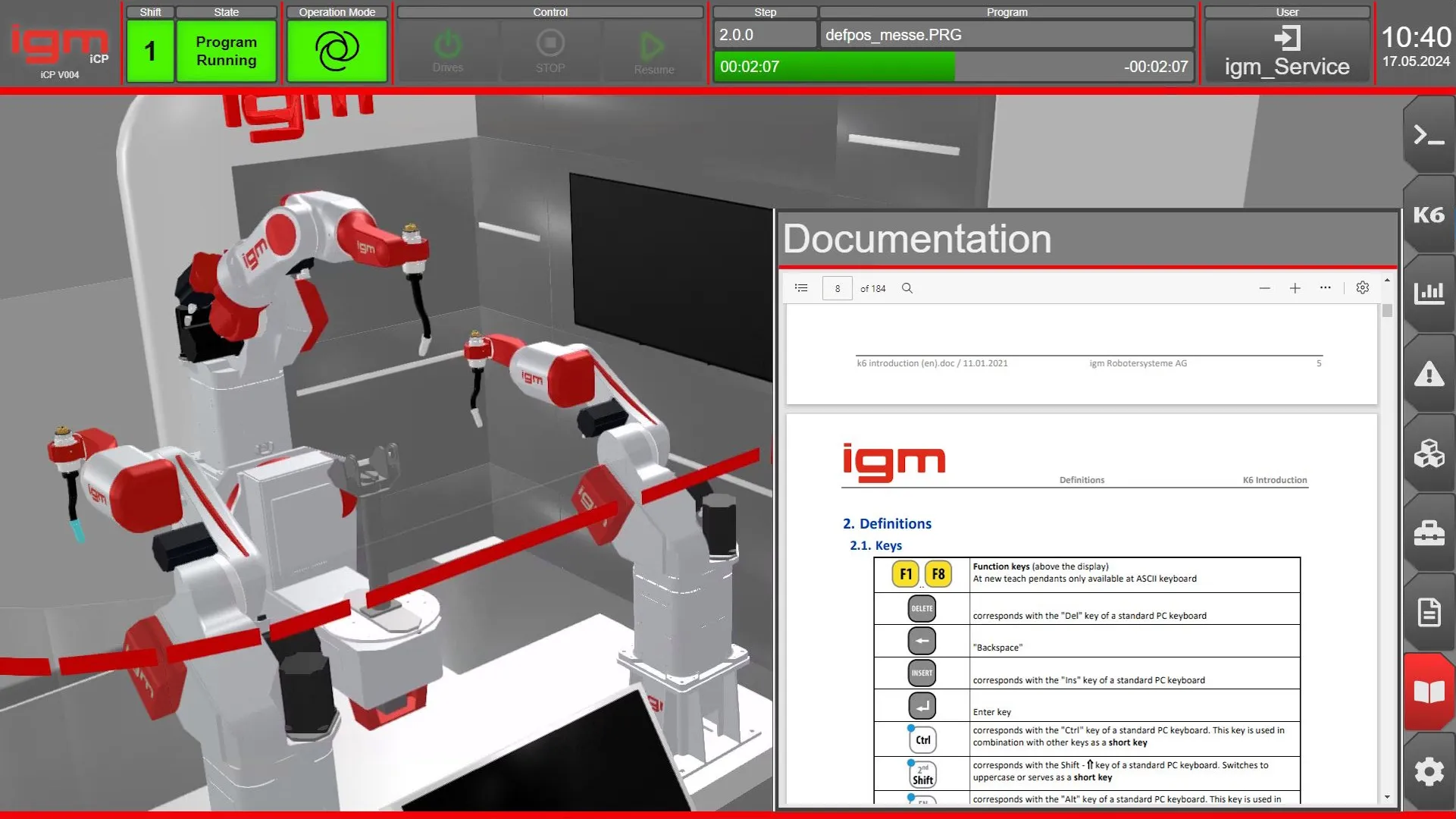
The benefits are tangible:
- Faster troubleshooting: Operators locate faults on the 3D model instead of in abstract 2D schematics. At igm, this replaces reaching for around 1,000 pages of documentation.
- Shorter onboarding: New employees understand the plant spatially instead of learning it from manuals.
- Remote diagnostics: Service technicians can inspect the plant remotely via the model. Every service trip saved and every shortened outage is money that is not lost.
From a single machine to the entire series: process data with control
While twin represents the individual machine, control takes care of the data in ongoing operation. control is digifai’s industrial IoT platform (IIoT). It connects, visualises, notifies, analyses and orchestrates process data, web-based as a SaaS solution with no local installation. Machines, sensors and controllers are connected via standard protocols such as OPC UA, Modbus, MQTT, SQL, Profinet or TCP/IP, and if required also via KNX or LoRa.
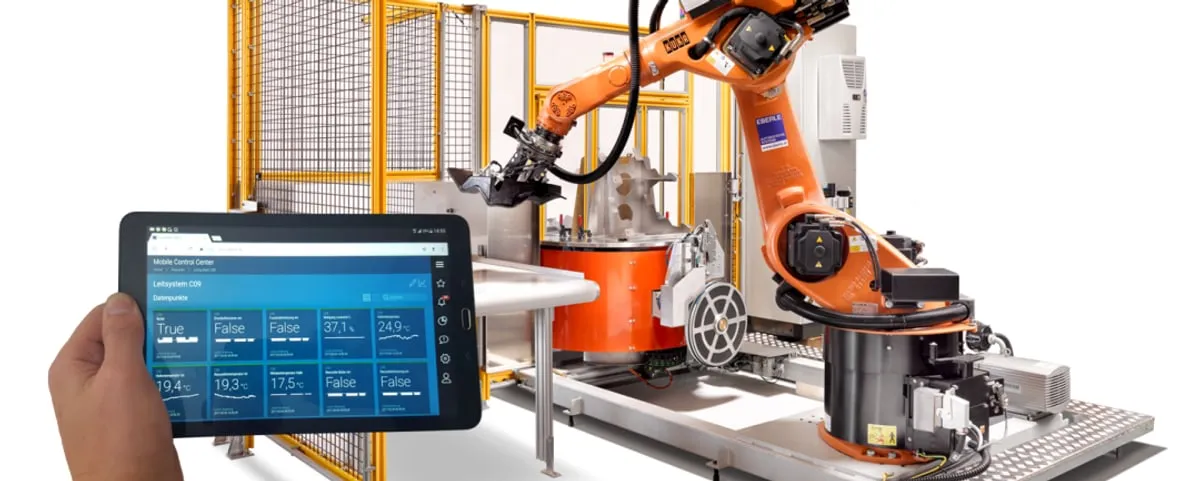
Live dashboards show process values in real time, including on tablets and smartphones. Alarms arrive as pop-ups or text messages. control automatically calculates KPIs such as OEE, cycle times, downtime reasons or energy consumption from the controller’s raw data. What the controller does not deliver, staff enter at the shop-floor terminal — in the same database as the machine data. Our article Digitising and automating operational data acquisition explains why this pays off.
Of particular interest to machine builders: control captures not only the data of a single plant, but the data of multiple machines at different customers, combined in a central data basis. This reveals how an entire machine series behaves in the field:
- Comparison across the series: Which machine runs at what OEE, where do stoppages accumulate, which configuration proves itself?
- Service based on data, not guesswork: Service sees alarms and deviations directly instead of first hearing about them from the customer, and sets off with a diagnosis rather than a hunch.
- Experience for the next generation: How the machines actually run in operation can feed into the design of the next machine series as a reliable figure rather than as an anecdote from service.
This makes visible in operation where time and money are lost, on every single machine and across the entire series — with figures instead of gut feeling.
Does a digital twin pay off for your company?
That depends on your projects, and you can estimate it yourself in a few minutes. The digital twin pays off fastest in sales, because the effort there is lowest. Two questions are enough:
- How often has a project’s cost calculation been off recently, for example because reach, cycle times or footprint were only clarified during implementation?
- How many quotes have you lost because the customer could not picture the plant or a competitor gave a more convincing presentation?
A virtual prototype is created in a few hours. Weigh this effort against what a single miscalculation or a lost order costs.
After that, the biggest item in project execution is almost always commissioning at the customer’s site. Three figures are enough here:
- How many days does a typical on-site commissioning take?
- How many people are tied up, for example from controls engineering, robotics and mechanics?
- What does a person-day cost, including travel, accommodation and expenses?
Multiplied together, they tell you what a commissioning costs you today. The time savings of up to 40% apply to exactly this effort, and on every project anew. At igm, that came to around 160 working hours per plant. Not included is the risk of a contractual penalty if handover is delayed.
Three concerns often come up:
- “Building the model takes more time than it saves.” CAD data is imported, robots, conveyor systems and sensors come from the component library, and sequences are created by drag and drop. This way, a virtual prototype is ready in a few hours, and the same model is then reused in commissioning and operation.
- “We lack the specialist knowledge.” The virtual prototype for sales requires neither PLC nor programming skills: anyone who works with CAD data builds the model by drag and drop and defines sequences without writing a single line of code. The controller and robot program only come into play in virtual commissioning — and there, the very team that commissions them on the shop floor today works with them.
- “It won’t work with our controllers.” twin connects the common controllers and robot offline programming systems, from Siemens and Beckhoff to KUKA and ABB. control speaks standard protocols such as OPC UA, Modbus and MQTT. Your tools stay as they are.
K&S Anlagenbau shows that this works for mid-sized companies in particular: as a mid-sized special machine builder, K&S uses twin to minimise risk as early as the concept phase and, with virtual commissioning, offers its customers a shorter time-to-market.
Where twin and control sit in the levels model
We take the term seriously, so here is the precise classification. Following Kritzinger et al. (2018), research distinguishes three levels, depending on the direction in which data flows automatically between the real machine and its digital representation: the digital model (no automatic data flow), the digital shadow (automatically from the machine to the representation) and the digital twin in the strict sense (automatically in both directions). Cutting across this, Grieves and Vickers (2017) distinguish which object the representation refers to: the Digital Twin Prototype of a machine that is yet to be built, and the Digital Twin Instance of a built unit. Grieves (2019) adds the Digital Twin Aggregate, which combines the instances of many units. The introductory article on the digital twin explains this in detail, with sources.
For twin and control, this means:
| Level | Phase | Automatic data flow | What digifai delivers | Benefit |
|---|---|---|---|---|
| Digital model / Digital Twin Prototype | Sales, concept, engineering, virtual commissioning | None — the machine is only just being built | twin represents the machine in full and tests the real PLC and robot program | Up to 40% time savings in commissioning, up to 20% shorter project lead times |
| Digital shadow / Digital Twin Instance and Aggregate | Operation | From the machine to the representation | twin shows the machine state as a 3D HMI, control captures and analyses the process data — also across many machines at different customers | Faster troubleshooting, remote diagnostics, transparency on OEE and downtime, comparison across the entire machine series |
| Digital twin in the strict sense | Operation and optimisation | In both directions | Project-specific, with twin and control as building blocks | The process readjusts itself without a manual intermediate step |
The simulation model in twin is therefore the Digital Twin Prototype of your machine: its complete digital representation before the machine exists. It is precisely in this phase that commissioning time, rework and on-time delivery are decided. In operation, the same model, as a 3D HMI, becomes the Digital Twin Instance of the built unit, and control combines the data of all connected units at your customers’ sites — the aggregate level across the entire machine series.
A system takes the final step to a digital twin in the strict sense when insights flow back into the process automatically, for example when an analysis adjusts setpoints and the controller adopts them without an operator. Where this is worthwhile and how such interventions are safeguarded is decided within the project. For this, control speaks the same protocols as the controllers, and new control logic can be tested against the model in twin beforehand.
Conclusion: the digital twin starts where the money is at stake
In machine building, the profitability of a project is decided in the quote and in commissioning. twin delivers the digital twin of your machine for exactly that: physics-based, with the real controller in the loop and with up to 40% time savings in commissioning. In operation, the same model becomes the 3D user interface, and control makes the process data usable, from a single plant to the entire machine series at your customers’ sites.
You don’t have to introduce everything at once. Each phase pays off on its own, and getting started in sales pays off fastest: with little effort, the risk in the cost calculation goes down, and a professional presentation increases the chance of winning the order. After that, virtual commissioning saves up to 40% of commissioning time.
The quickest way to see this is on your own machine: try twin for free or book a demo appointment directly below.